
For meeting and event planners
Ground transportation you can hand over and stop thinking about.
Conferences, board meetings, roadshows, galas, product launches and weddings all have the same weak spot: the cars. GeronimoLux lets you book every car in one place, see every ride on one page, and reach a person on our side at any hour of the event.
How the booking system works for you
Built for many rides, not one.
You plan the event; the app keeps every car, guest and change in one list that you and your team can see.
One account for the event team
Open a company account for your agency or for your client. Everyone on your team signs in with their own email and sees the same rides.
Add the guests once
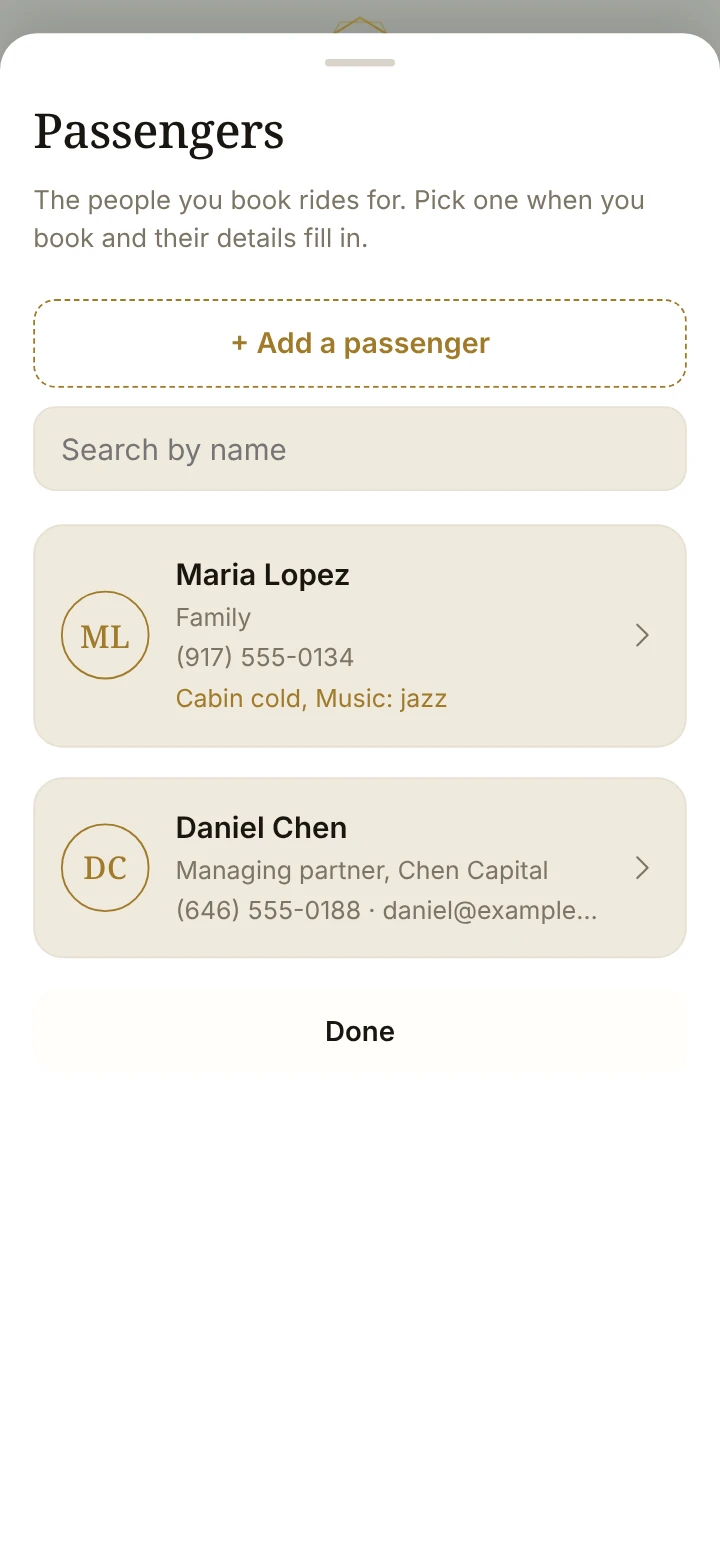
Speakers, executives and VIPs become travelers. Their name goes on the chauffeur's pickup sign and their preferences go to the chauffeur.
Book several rides together
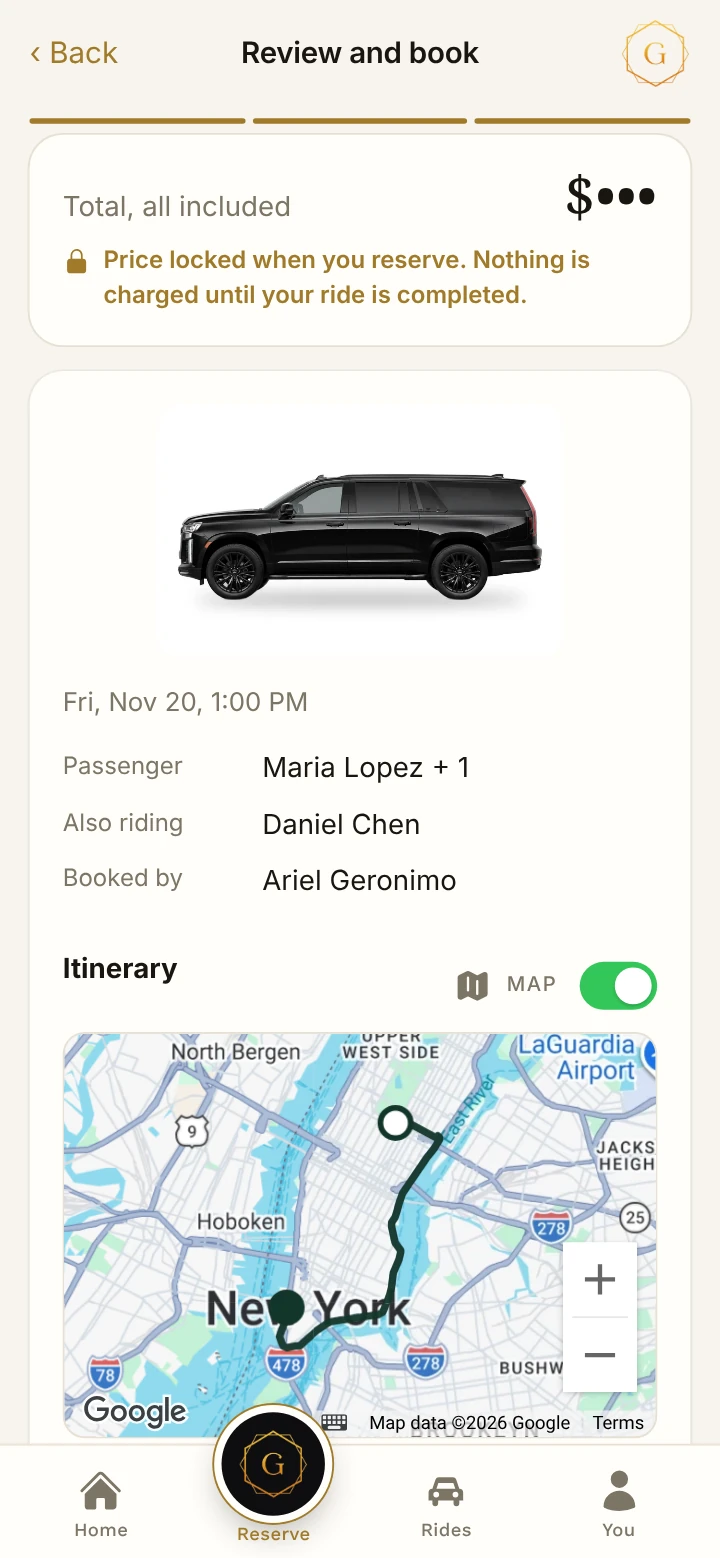
Arrivals, transfers to the venue and rides back to the hotel can be booked as a group and reviewed on one screen before you confirm.
A code for each event or client
Put the event name or the client's PO on every ride as a reference code. It prints on the invoice, so billing your client is simple.
Change many rides at once
A speaker swaps flights or the dinner moves? Tick the rides and change the traveler, the car or the code in one go, or add another ride to a reservation while the event is on.
One invoice at the end
Every finished ride on one invoice with its traveler, booker and code.
On the day
Every car is watched, not just booked.
- Each car has a named chauffeur, assigned by our office. The system blocks booking the same chauffeur for two rides at once.
- Chauffeurs get reminders before pickup, and the office is alerted if a chauffeur is not on the way in time.
- You get a text when each car leaves and when it is outside, with the chauffeur's phone number.
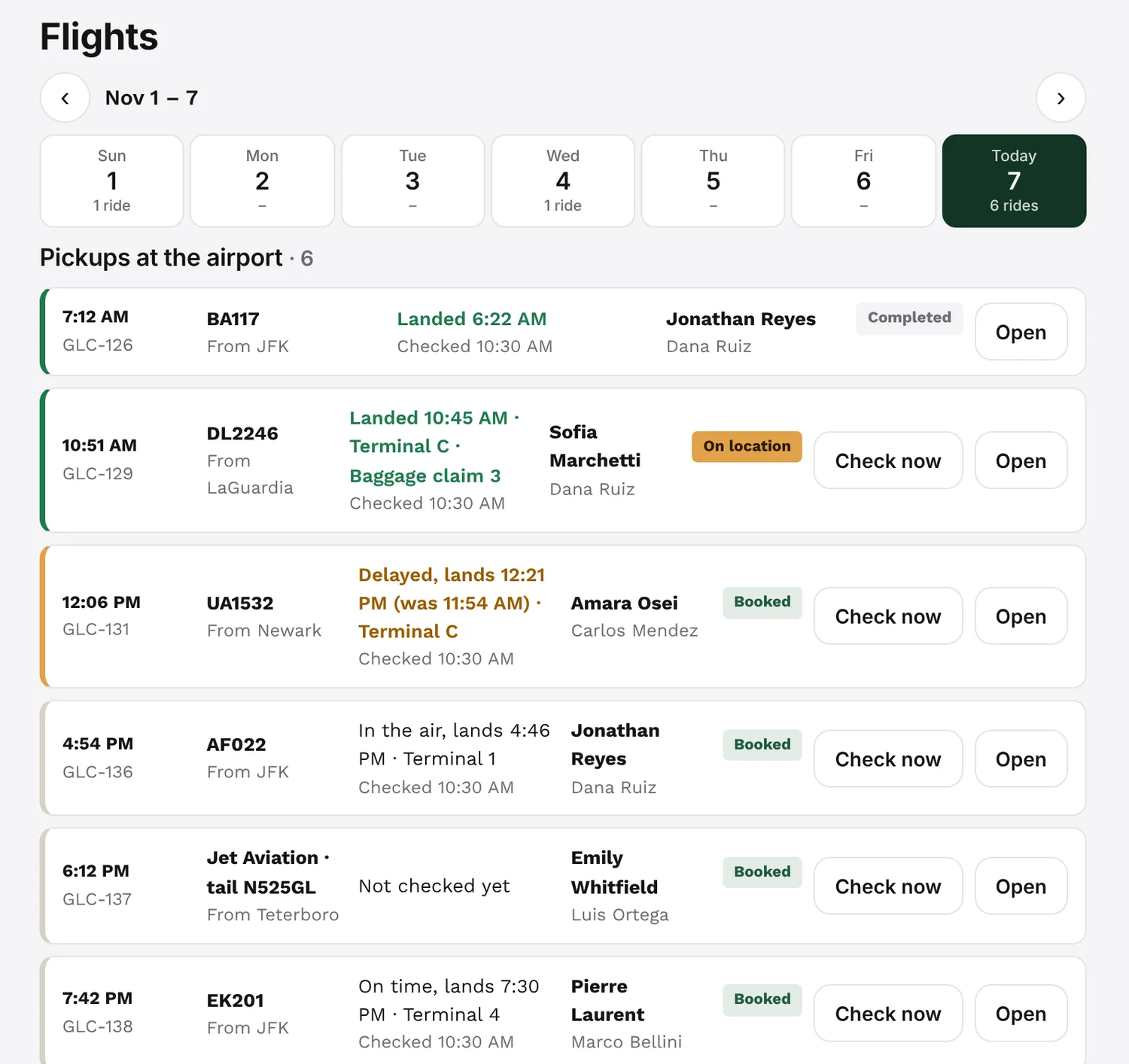
- Airport arrivals are tracked by flight number, so a late flight moves the pickup instead of leaving a guest at the curb.
- The office answers at any hour of the event at 929-442-7015.
The right car for the group
From one executive to the whole board.
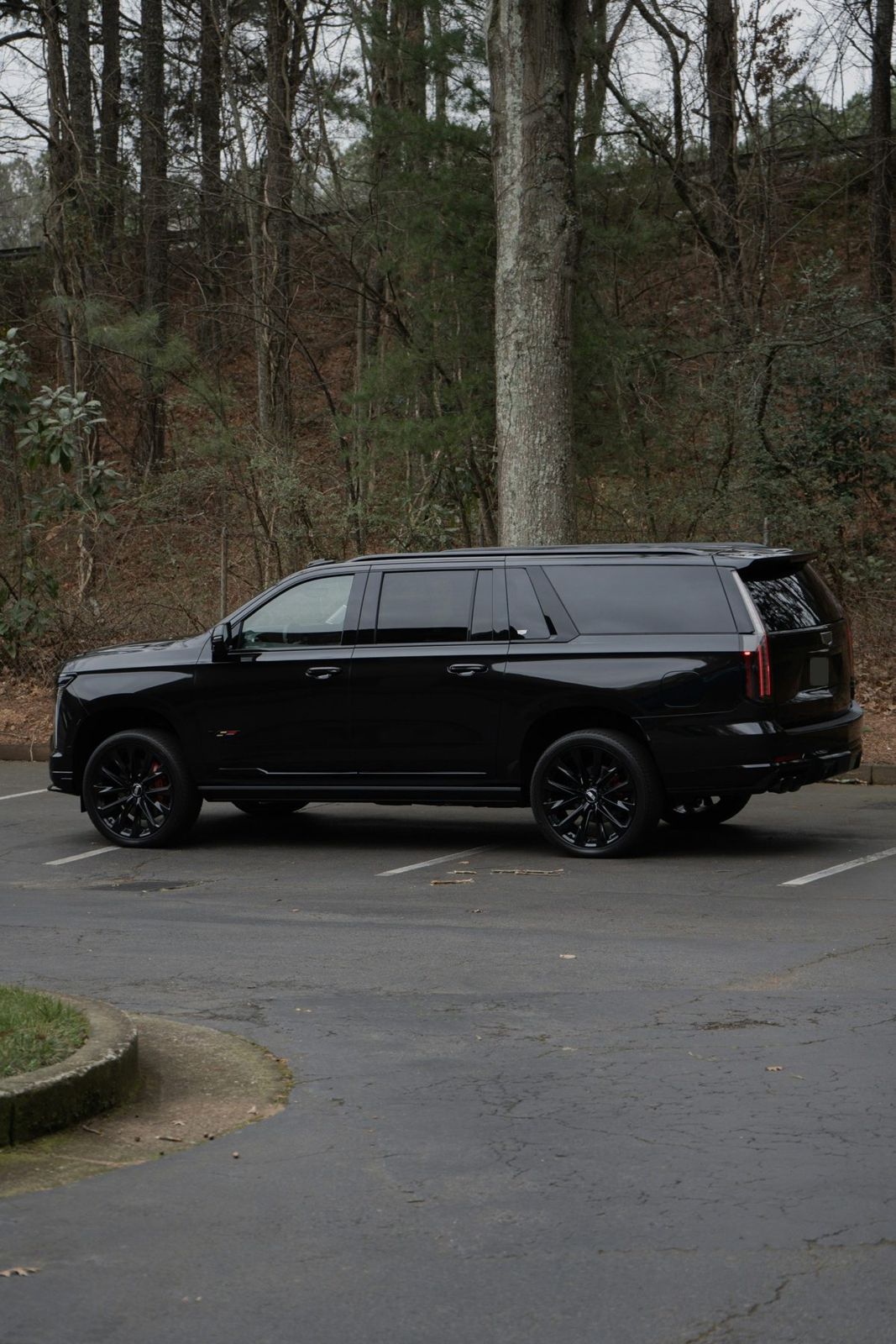
- Cadillac Escalade and Chevrolet Suburban for most guests, Mercedes-Benz S-Class and Maybach for principals.
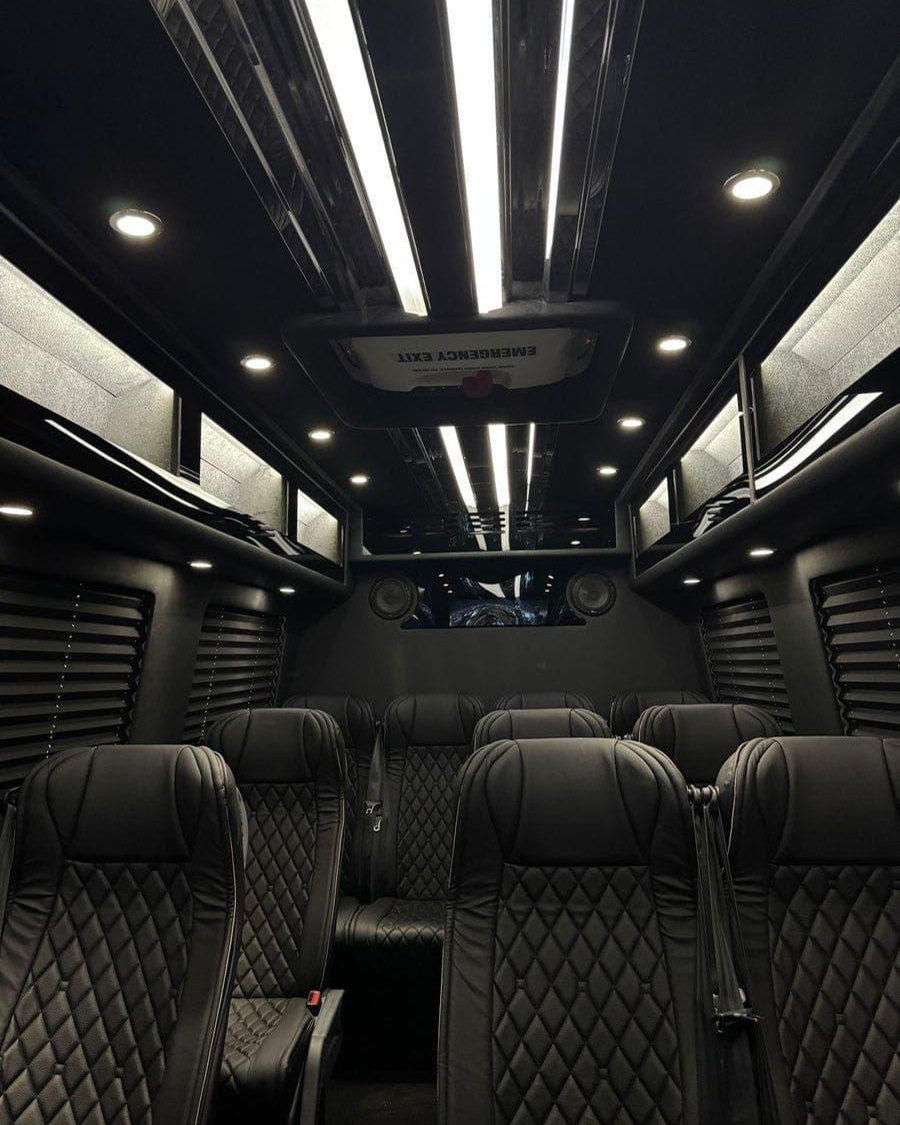
- A Mercedes-Benz Sprinter executive van seats up to 14, with captain's chairs, for teams moving together.
- Concerts and games: book several cars in the app with the price shown before you confirm, one chauffeur per car.
- Weddings and large events: send a request and our office plans the cars and the timing with you, ahead of the day.
Events we move
What planners book us for.
Conferences and summits
Airport arrivals for speakers, hotel to venue each morning, dinners in the evening.
Event transportationRoadshows and board meetings
One car and chauffeur by the hour, from meeting to meeting, for as long as the day runs.
HourlyGalas, concerts and weddings
Cars timed to the doors, waiting at the end, and a person on our side who knows the plan.
WeddingsSee it in the app
How an event runs on our system.
Real screens from a company account and from our office, following the rides for one event.
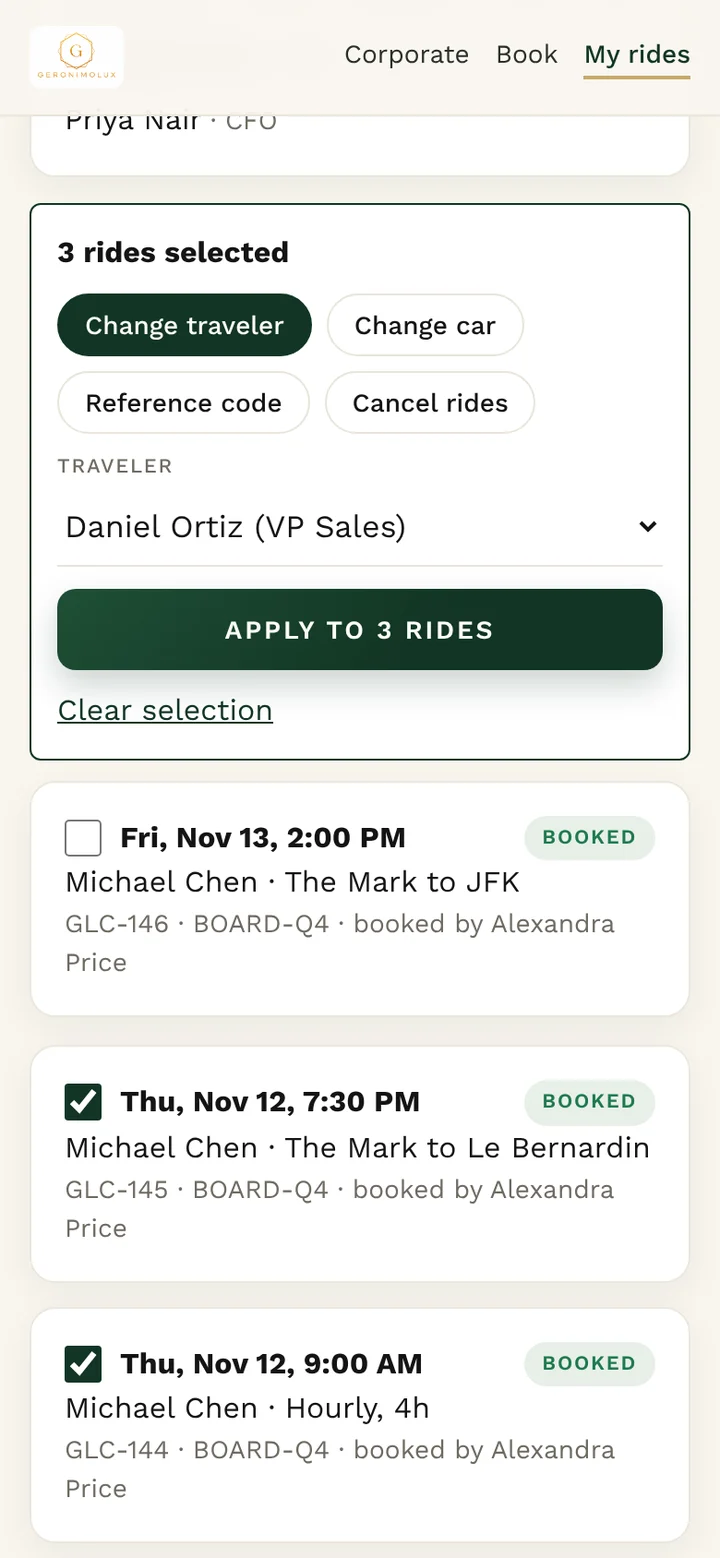
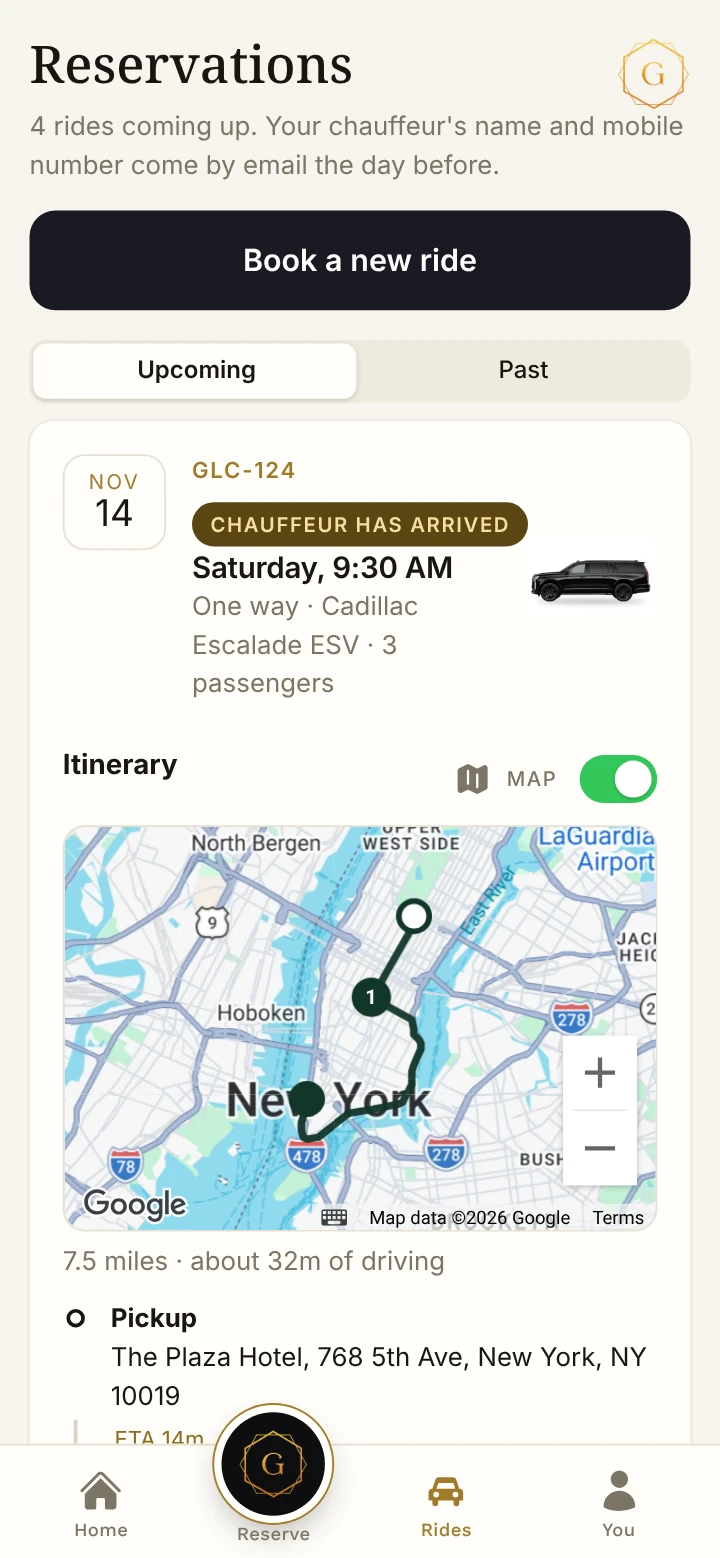
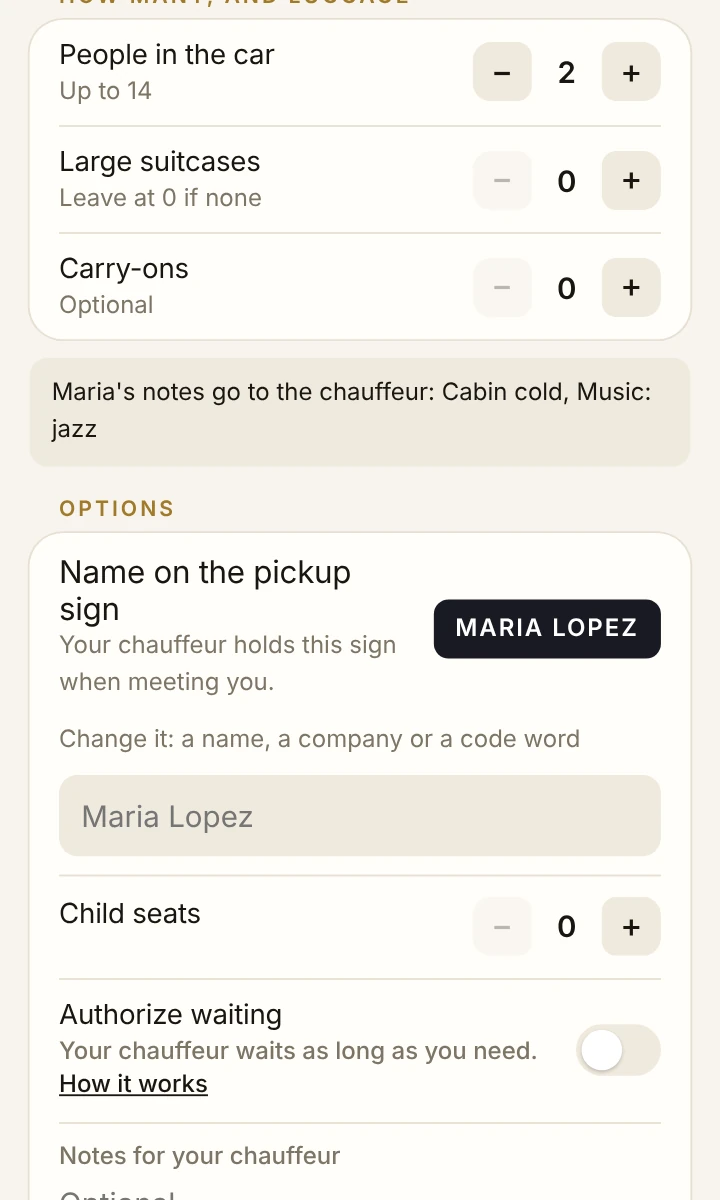
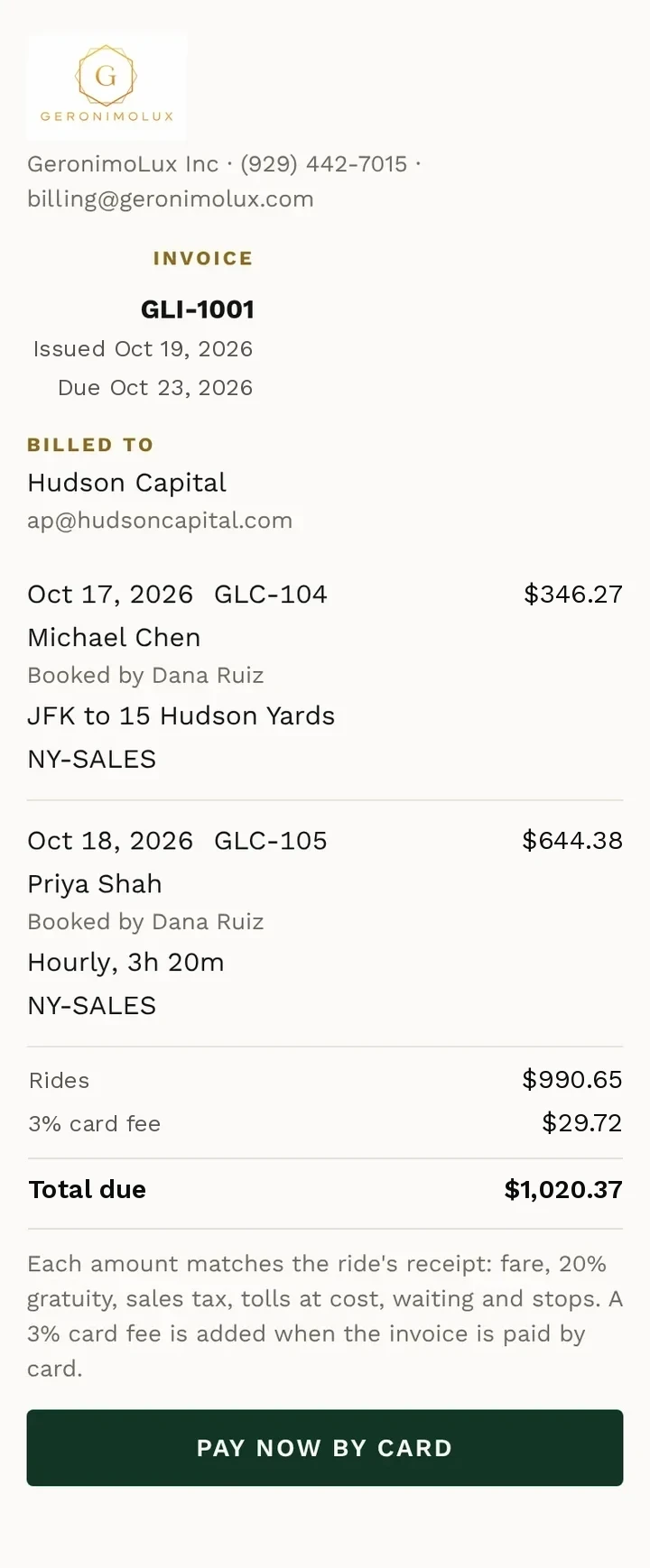
Swipe to see every screen →
Real screens from the GeronimoLux app. The names are examples and prices are hidden.
The system in action
One ride, from your phone to the curb.
Watch a ride go through the system the way it does every day: your booking, the office, the chauffeur's phone and the car outside. Every screen is real.
- 01You bookAddress, time, who is riding. Two minutes on your phone.
- 02The office assigns a chauffeurA name, a car and a plate on your ride before pickup. Never a broadcast.
- 03The chauffeur has the jobThe ride on their phone: passenger, flight, notes, and one tap to the office.
- 04On the wayA tap on the chauffeur's phone, a text on yours. The office sees it on the board.
- 05The car is outsideWhere exactly the chauffeur is waiting, and a button to call them.
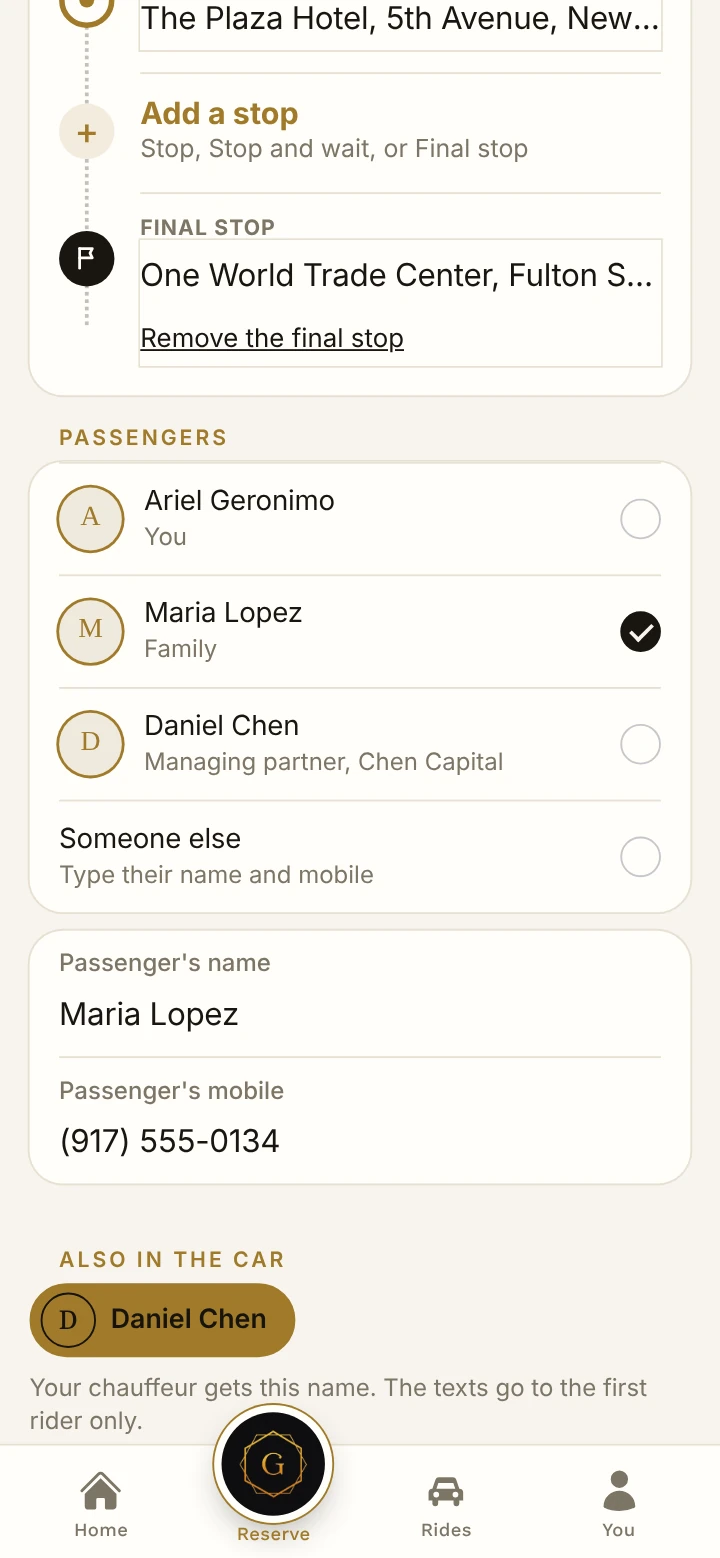
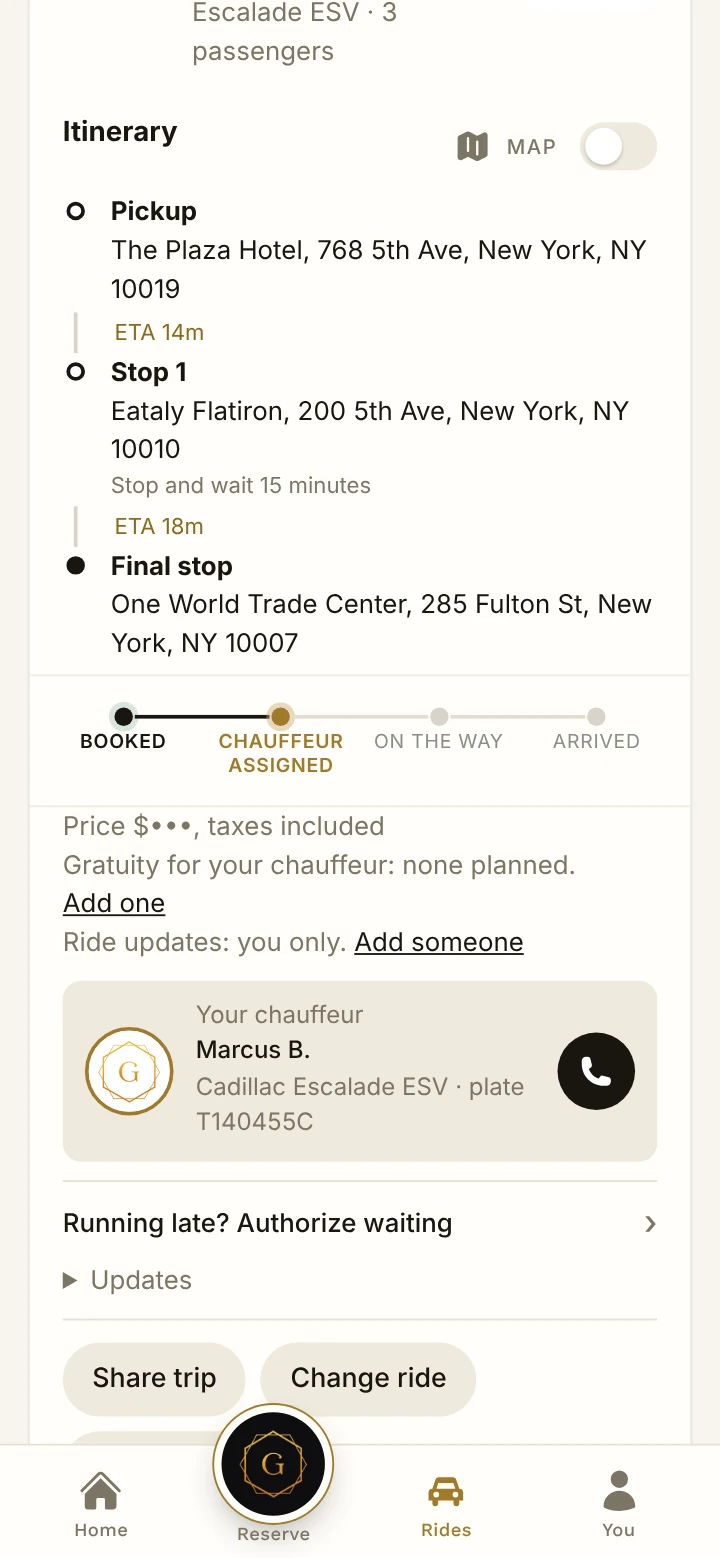
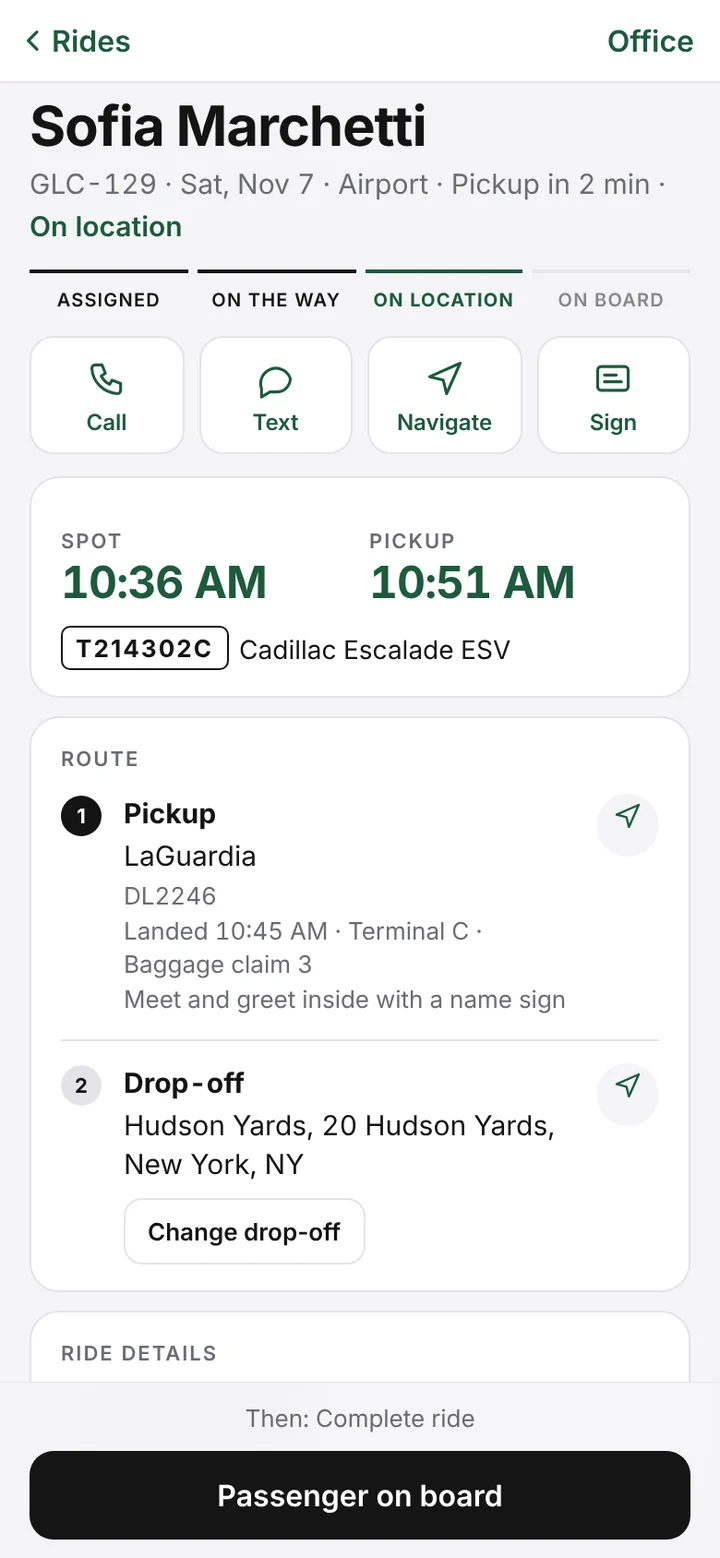
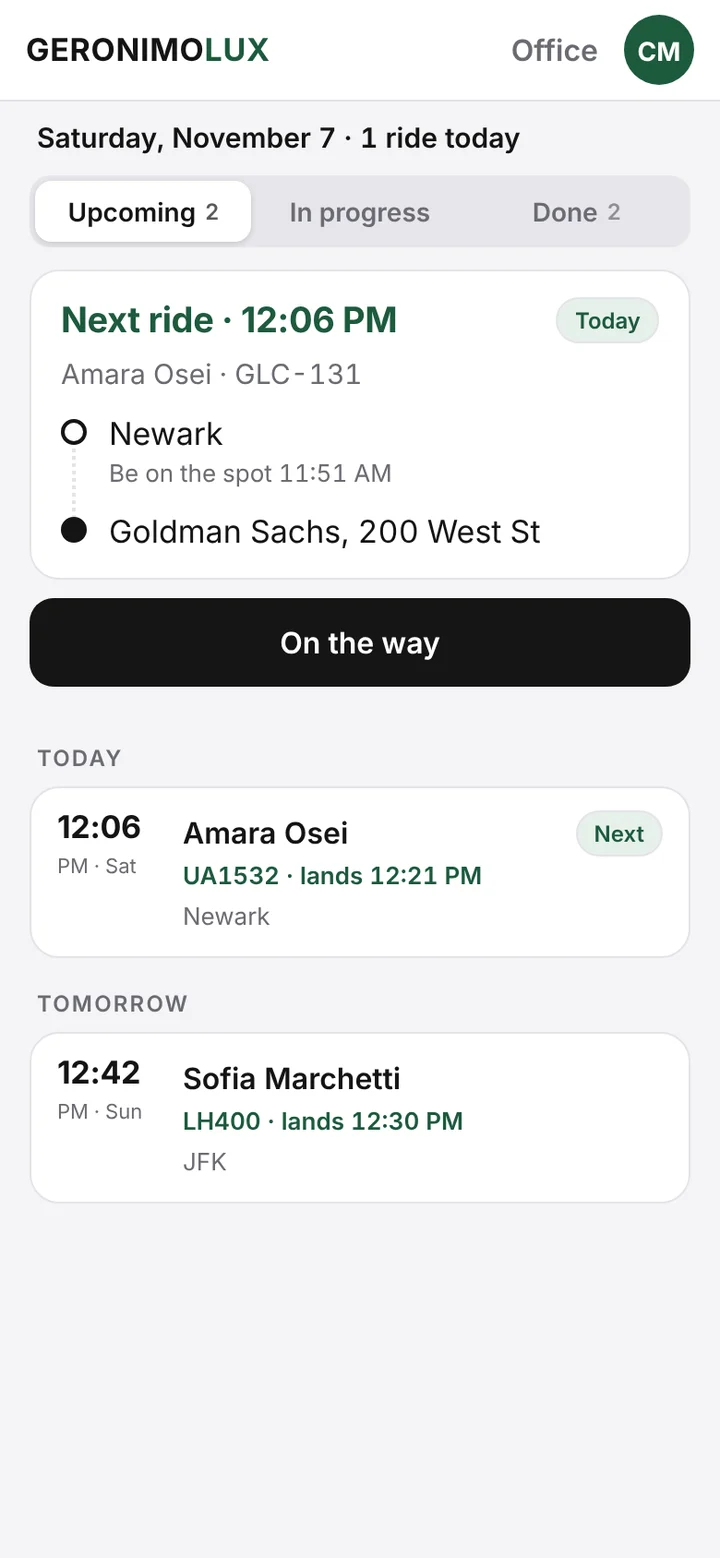
Real screens from the GeronimoLux app. The names are examples and prices are hidden.
How much you can run at once
Book a week of rides in one go, and see all of them on one page.
Events are where the numbers matter. Here is what one account can handle at the same time.
rides booked together in one reservation, each with its own traveler, time and car, confirmed in one step.
company rides changed at once: tick them and change the traveler, the car or the reference code, or cancel them.
cars for one concert or event, one chauffeur in each car.
stops on one ride, in the order you choose.
passengers in the Mercedes-Benz Sprinter. The Escalade and the Suburban take six.
ride you book stays on one page with its status, from booked to chauffeur assigned, on the way and arrived. There is no limit on how many you follow.
How we run the house
Since 2017, the office has run the way a chauffeur would want it to.
GeronimoLux comes from the driver's seat. We have been driving New York since 2017, and the people who run the office learned the roads, the airports and what clients need from behind the wheel. That is why the office is organized around the things that go wrong on the road, and why every ride is watched from booking to drop-off. These are the screens the office works from today.
Every chauffeur passes a background check
No chauffeur drives for us before passing a background check. The check, the driver’s license, the insurance and the car’s papers are kept on file with their expiry dates, so nothing lapses quietly.
Assigned by name, never broadcast
Our office picks the chauffeur and the car for every ride. Rides are never offered to whoever is nearby, and you see the name, the car and the plate before pickup.
Two rides can't share a car
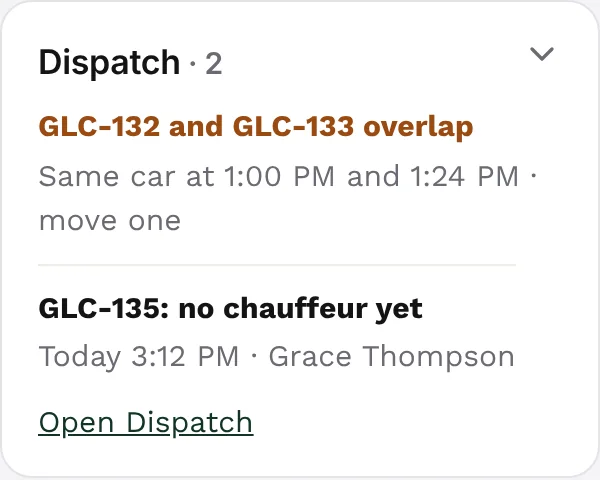
The system blocks the same chauffeur or car from being booked for two rides at once, and the board flags any overlap in red for the office to fix.
Nobody is late by surprise
Chauffeurs get a reminder an hour before pickup, and the office is alerted if a chauffeur is not on the way in time. Before the ride, the passenger gets their chauffeur's name, car and plate.
How the work is organized
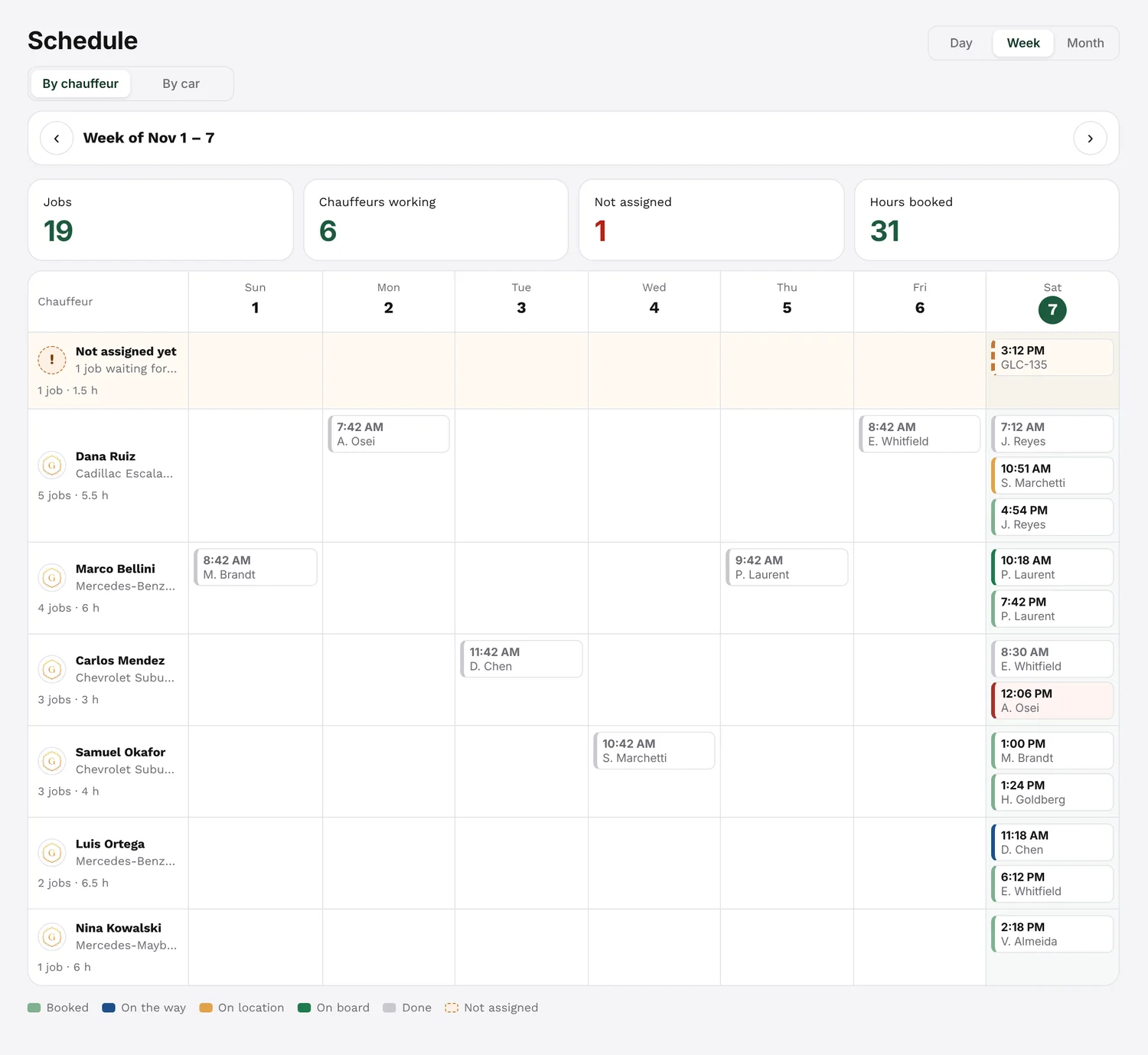
Every job, every chauffeur, every car, on one board.
Nothing is passed around by phone or memory. The office works from one schedule, and each chauffeur carries the same schedule in their pocket.
One board for the whole week
The office sees every chauffeur in a row and every job in its place, by day, by week or by month, and can switch to a view by car. A job without a chauffeur sits at the top in orange until someone is assigned.
Hours, gaps and overlaps
Each row shows how many jobs and hours a chauffeur has. A tight gap between two rides is flagged, and a job on the same car at the same time is outlined in red before it becomes a problem.
The chauffeur sees the same plan
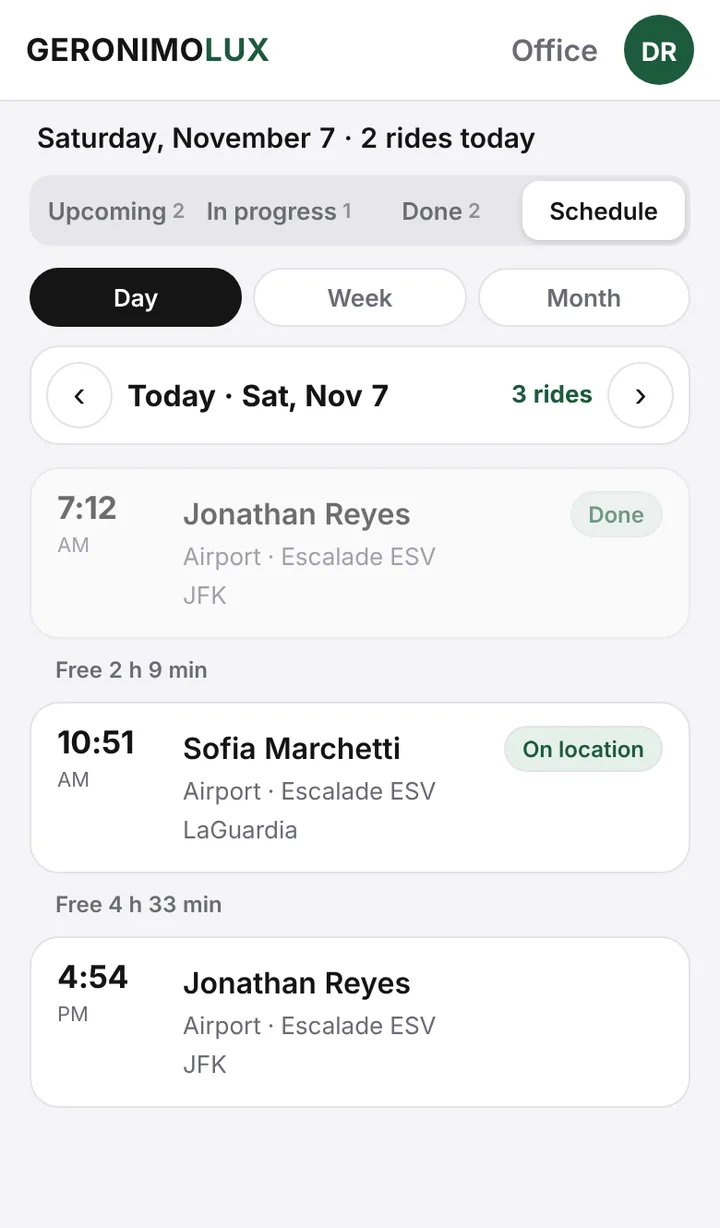
In the chauffeur app, a Schedule tab shows their own rides for the day, the week or the month, with the free time between them. No chauffeur has to call to ask what is next.
Moved with a tap, told at once
When the office moves a job to another chauffeur or another car, both chauffeurs are told on their phones and you get the new name, car and plate.
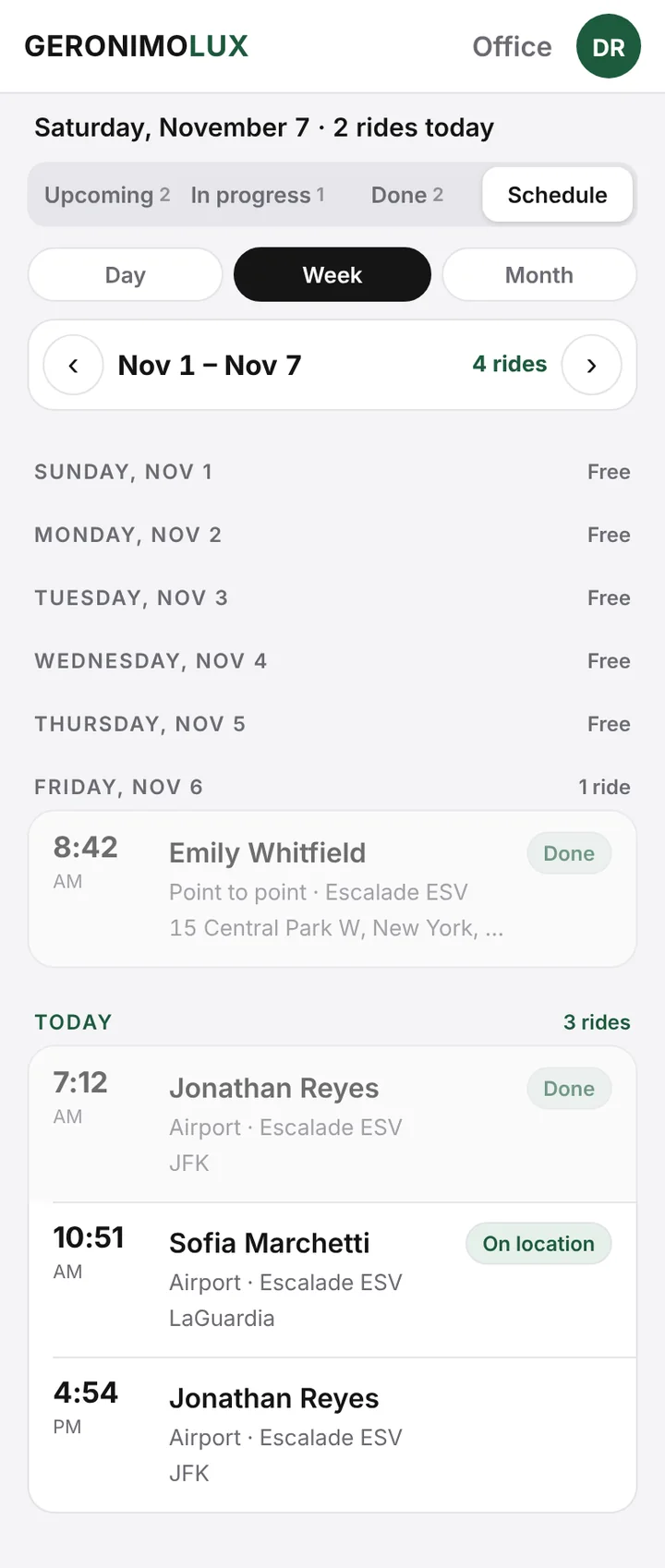
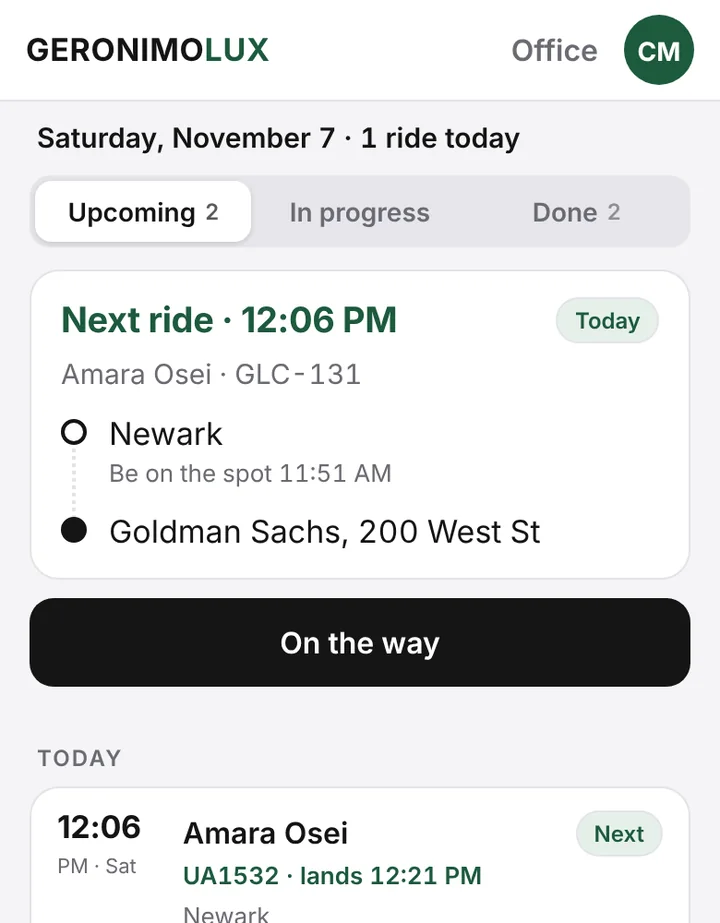
Swipe to see every screen →
Real screens from the GeronimoLux app. The names are examples and prices are hidden.
Your card and your details
Your card is held by Stripe. We never see the number.
People trust us with a card, a home address and a travel schedule. Here is exactly what happens to each of them.
Stripe handles every card
When you add a card, the number goes straight to Stripe, the payment company behind millions of businesses, over an encrypted connection. GeronimoLux never receives the full number and never stores it. We keep only the brand and the last four digits, so you can tell which card you chose.
Held when you book, charged after the ride
Your card is authorized when you book and charged once, after the ride, for the amount on your itemized receipt. Nothing is charged before the car arrives, and nothing is charged twice.
Apple Pay and Google Pay
Pay from your phone and your card number never leaves it. Up to five cards can be saved, and you choose one for each ride.
No passwords to leak
You sign in with your email and a one-time code that expires in minutes. There is no password to remember, reuse or lose.
Chauffeurs see the ride, not the account
A chauffeur's phone shows only the ride they are driving: the passenger's name and number, the pickup, the drop-off and your notes. Never a price, never a card, never your other rides.
Your details stay in the house
Names, phones and addresses live in our own system, in the United States, and are used to run your rides. We don't sell them or share them with advertisers.
Where the car is
The office sees every car. You see yours when it matters.
Every car on a live map
The chauffeur app shares the car's position while a ride is under way, and the office sees every car on one map next to the board. If a car is not where it should be, the office knows before you do.
The car on your screen
When your chauffeur reaches the pickup you see the car on a map in the app, where exactly they are waiting, and a button to call them. At the airport that means a note like “Inside at baggage claim 3.”
Only during the ride
Location is shared from the moment the chauffeur taps On the way until the ride is complete, and not before or after. Nobody is tracked between rides, and you are never tracked at all.
The office can act on it
Because the office sees where every car is, it can move a free car to a ride that is running late, or warn you ahead of time, instead of finding out afterwards.
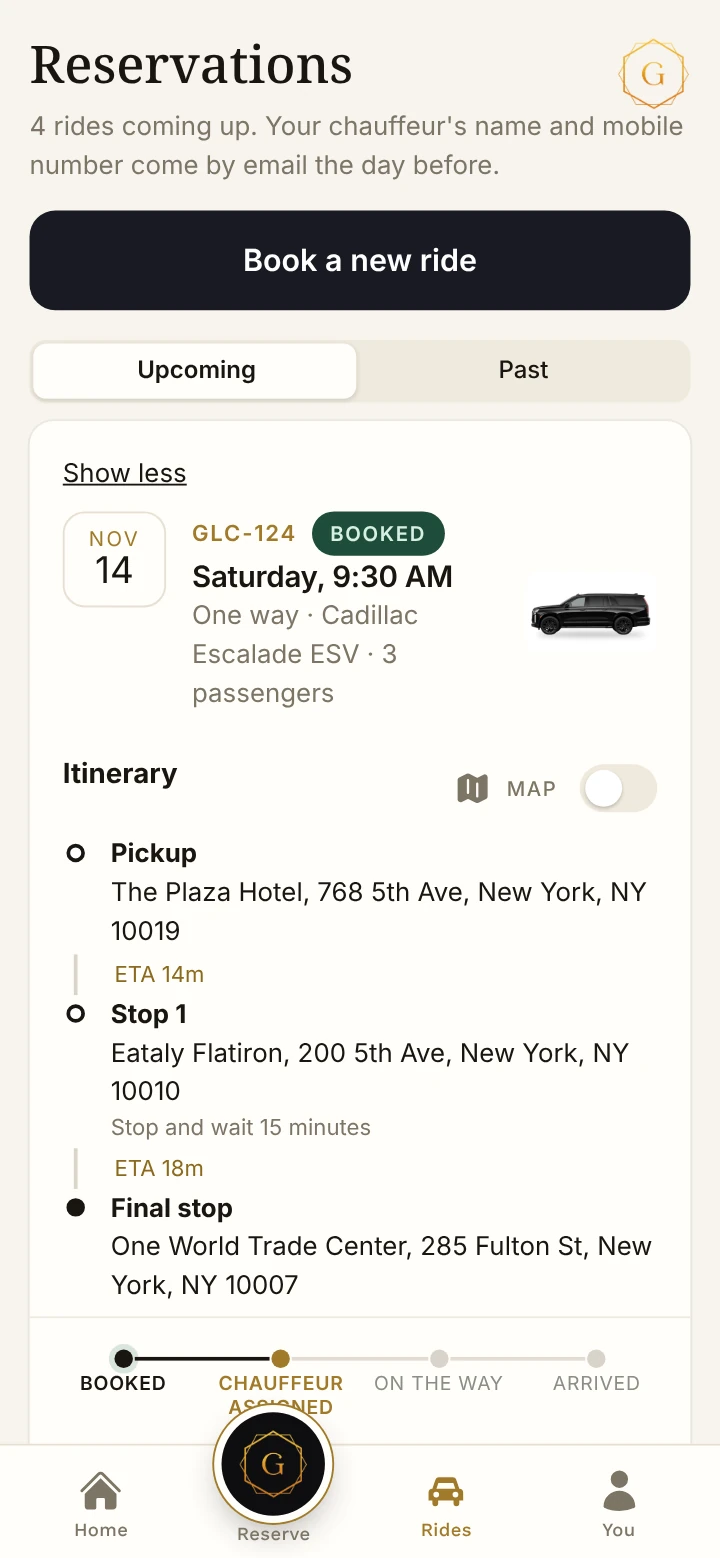
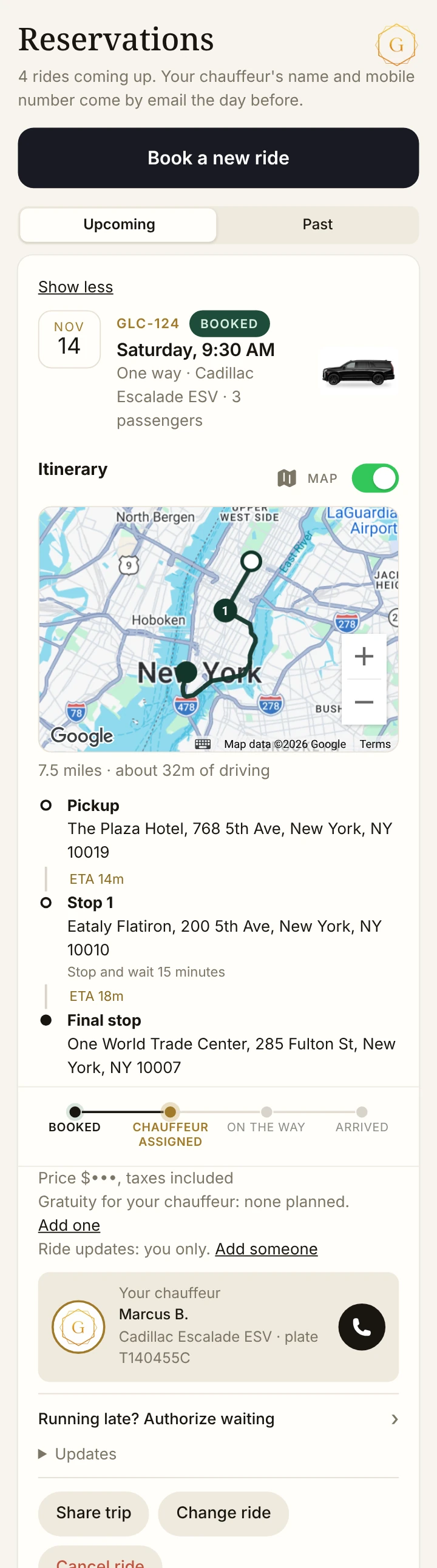
How the office and the chauffeurs talk
Nothing depends on somebody remembering.
Every ride is carried by the system from the moment it is booked, with a person in the office watching all of it.
The ride reaches the chauffeur at once
When the office assigns a ride, it appears on the chauffeur's phone with an alert: the passenger, the time, the pickup, the flight and your notes. The chauffeur does not have to call anyone to know what the day holds.
The night before
At 8 PM each chauffeur gets the next day's trip sheet. At 6 PM you get your reminder with the chauffeur's name, the car and the plate.
An hour before, and twenty minutes before
The chauffeur is reminded an hour before pickup. If the chauffeur has not tapped On the way twenty minutes before the spot time, the office is alerted and calls.
Flights move the pickup
The pickup follows the landing. When a flight moves by ten minutes or more, the chauffeur and the office are told, and the car is there for the new time.
Notes from the office
The office can add a note to any ride, such as a gate code or where to park. The chauffeur gets it as an alert and sees it on the ride.
Every step reported from the road
On the way, On location, Passenger on board and Complete are tapped on the chauffeur's phone, so the office board and your app update the moment they happen.
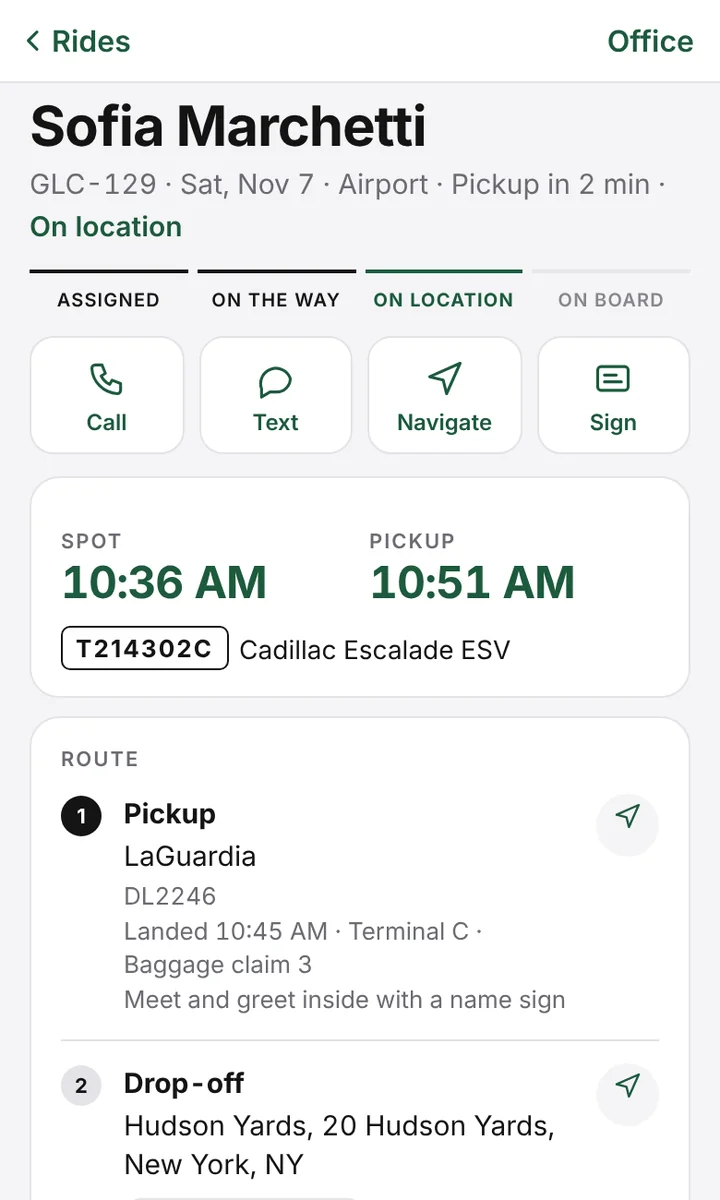
Swipe to see every screen →
Real screens from the GeronimoLux app. The names are examples and prices are hidden.
How prepared we are
Ready before you ask.
the year we started driving New York. The office is run by people who know the roads, the airports and the terminals from behind the wheel.
before pickup, the chauffeur is on the spot. The app shows a spot time for every ride, and the office is alerted if it is missed.
between flight checks, and every 10 minutes in the last hour before landing. A late flight never surprises us.
double bookings. The system refuses to put one chauffeur or one car on two rides at once.
of chauffeurs background-checked, with license, insurance and car papers on file and their expiry dates watched.
the office answers at 929-442-7015, day and night, and every ride is watched from booking to drop-off.
Our fleet
The cars you can put on an event.
Five black cars, each shown the way it appears when you book: how many people and bags it takes, and how it can be booked. Every car on a ride is a named car with a named chauffeur, assigned by our office.
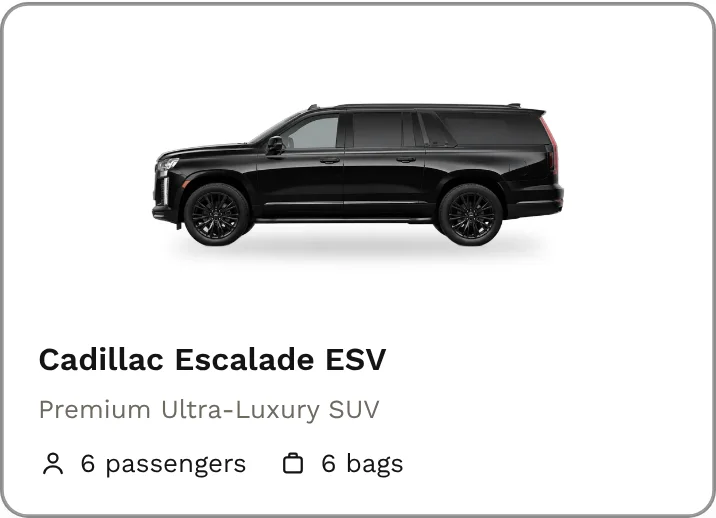
Cadillac Escalade ESV
Up to six passengers with luggage. The car most clients ask for.
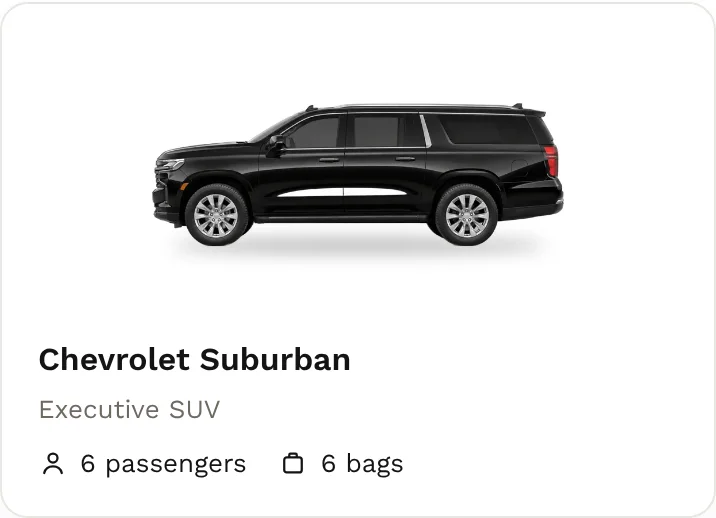
Chevrolet Suburban
The same room for six, in a quieter package.
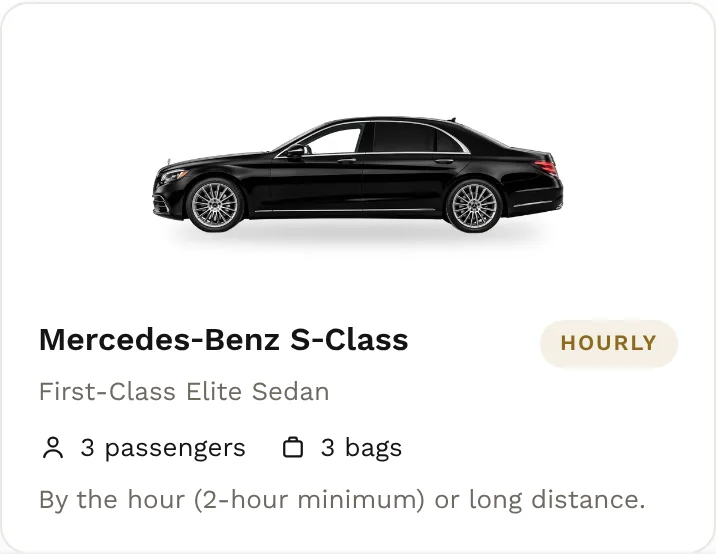
Mercedes-Benz S-Class
For up to three, when a sedan is the right car.
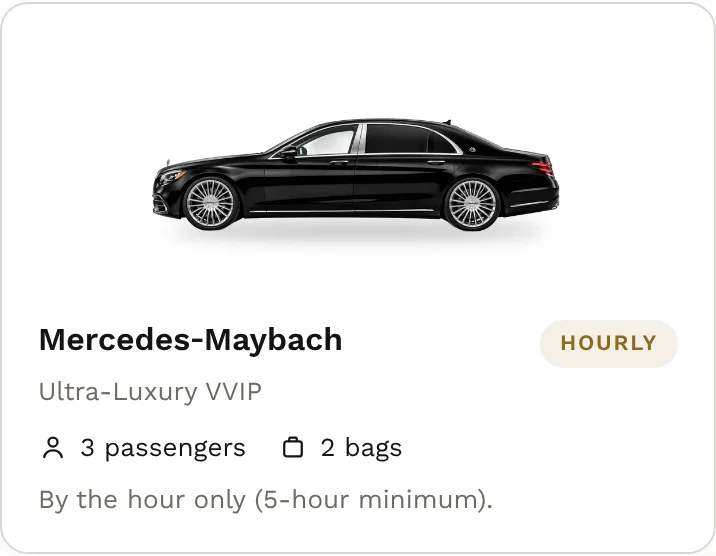
Mercedes-Maybach
By the hour, on request, for the days that call for it.
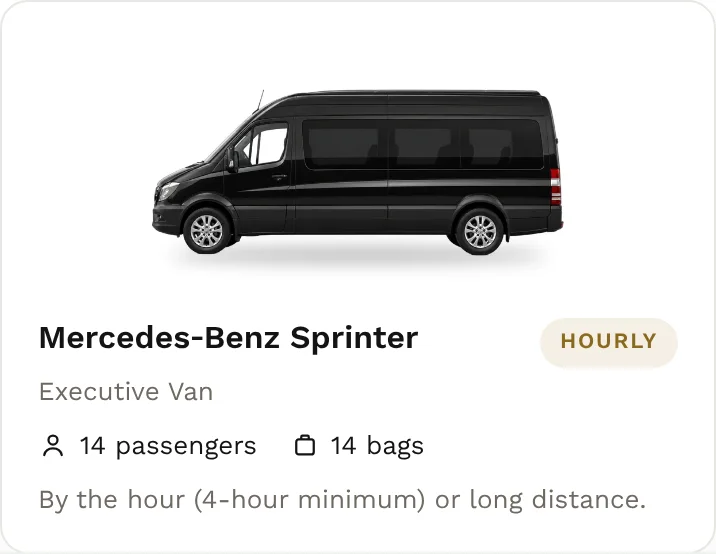
Mercedes-Benz Sprinter
Up to 14 passengers in captain's chairs. The whole group in one car.
Swipe to see all five →
How payment is handled
Clear before the ride, settled after it.
Company accounts
- Rides are not charged one by one. They go on one invoice every Monday, due that Friday.
- Each line shows the date, the trip number, the traveler, who booked it, the time charged and the reference code.
- Pay online by card, or keep a business card on file that is charged on the billing date.
- Every invoice lists each ride for your accounting team.
What we cover
Where we drive and what you can book.
Kinds of rides
- One way, door to door, with stops
- Airport pickups and drop-offs
- Private jet terminals (FBOs) and heliports
- A car and chauffeur by the hour
- Concerts, events and weddings
- Long distance, city to city
Airports
- JFK, LaGuardia and Newark, with pickup at baggage claim
- Teterboro, Westchester, Morristown, Republic, Islip, Stewart, Essex County and Linden
- Downtown Manhattan and West 30th Street heliports
- Any other airport you type in, priced by our office
Area and hours
- Rides between New York, New Jersey, Connecticut, Pennsylvania, Delaware, Maryland, Massachusetts and Washington, DC
- Manhattan, Brooklyn, Queens, the Hamptons and Upstate New York
- Book any day, at any hour, at least two hours ahead
- The office answers at 929-442-7015, day and night
Questions
Questions we get asked
Which kinds of events do planners book you for?
Weddings, galas, conferences, product launches, incentive trips, film and fashion events, and VIP airport arrivals. Each car is booked by the hour, and the office keeps every car on one timeline.
Can I book many cars for one event?
Yes. Book several rides together in the app and review them on one screen. For concerts the app prices several cars at once. For a wedding or a large event, send a request or call the office and we plan the cars with you.
Can the chauffeur hold a sign with the guest's name?
Yes. The traveler's name goes on the chauffeur's pickup sign, which the chauffeur shows at the airport or the hotel when you ask for it.
Can I bill the rides to my client?
Yes. Open the company account in your client's name, or keep it in your agency's name and put the client's PO or event name on each ride as a reference code. Codes print on the invoice.
What if the schedule changes during the event?
Change the time, address or car in the app up to two hours before pickup, tick several rides to change them together, or add another ride to a reservation. Inside two hours, call the office at any hour.
Do you have a car for a group?
Yes. The Mercedes-Benz Sprinter executive van seats up to 14 people. The Escalade and the Suburban seat up to six passengers each.
Is there a minimum for event cars?
Events, concerts and weddings book with a two-hour minimum for the Escalade and the Suburban. The exact price shows in the app before you confirm.
Where can the cars go?
Rides can start and end anywhere between New York, New Jersey, Connecticut, Pennsylvania, Delaware, Maryland, Massachusetts and Washington, DC. They do not have to begin in New York.
How do I book an event in the app?
Open the app and choose Events, then pick the type in Which event?, add the venue and any stops, and choose how many cars. Events are booked by the hour, and the full price for every car appears before you confirm.
Can I book a ride for someone else?
Yes. When you book in the app, add the passenger's name and phone number, and the chauffeur contacts that person on the day. The ride stays in your account, with the receipt sent to you.
Who we serve
Other people who book with us
Ready when you are
Send us the run of show.
Book the cars in the app, or call the office and we'll plan them with you.
bookings@geronimolux.com
Office open 24/7: (929) 442-7015.


